Your event, from first ticket to last session.
An event page with free and paid registration. An app with your schedule, speakers, maps, polls and Q&A, in your colors. Reminders, announcements and check-in at the door. Your team runs it all from a browser.
Free for 30 days. No card needed.
What attendees carry all weekend
One app for the whole event. Every screen on this page is a capture of the real attendee app, running a demo event.
-
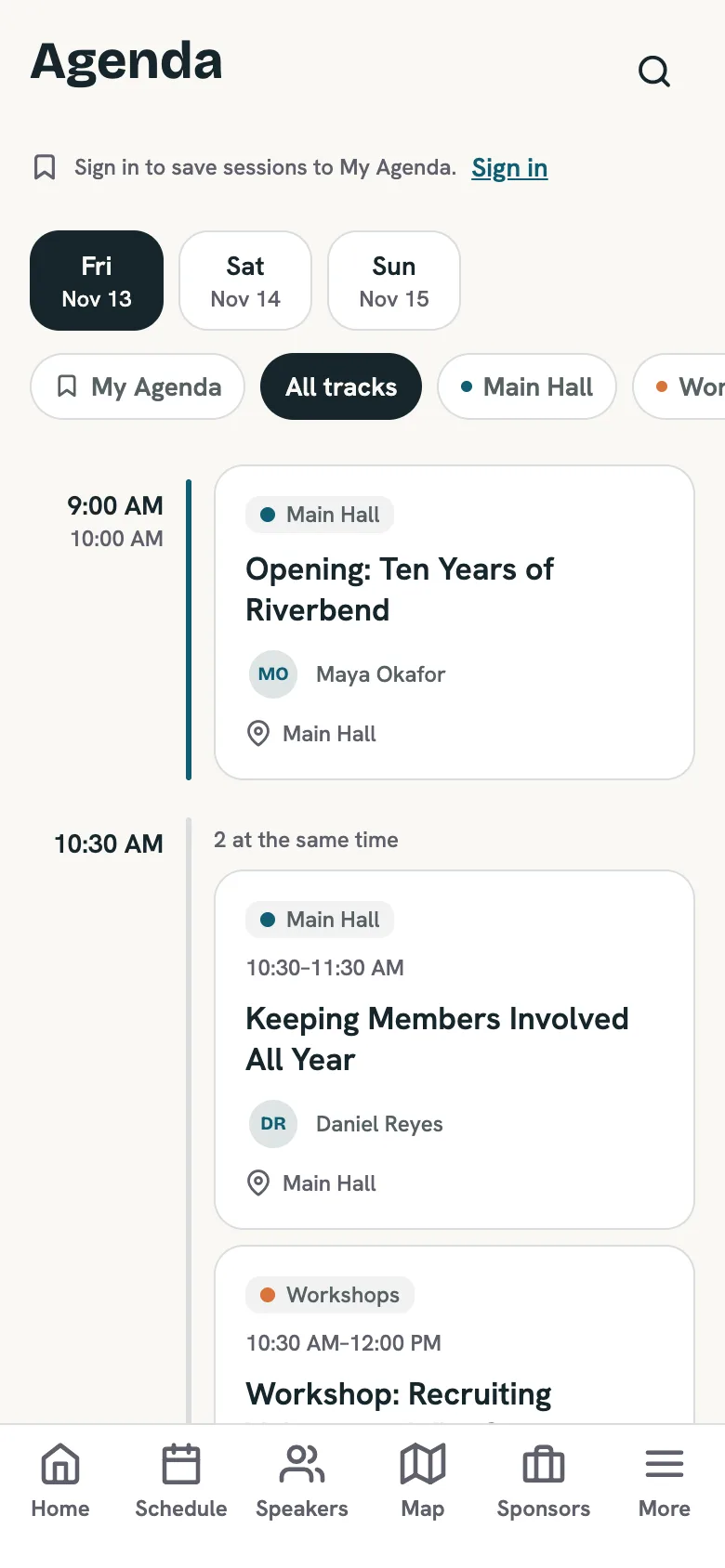
Plan the day.
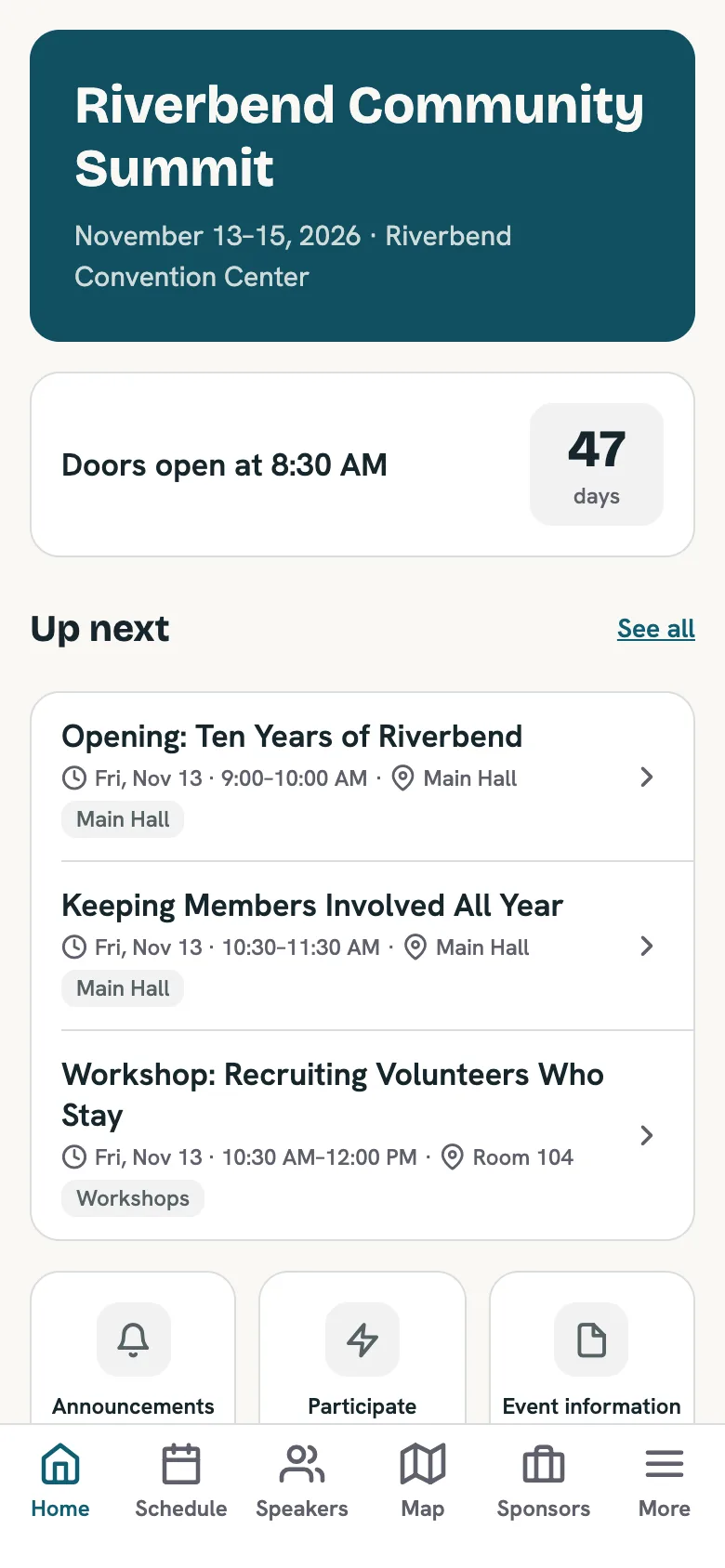
The full schedule by day and track. Attendees save the sessions they want to My Agenda, and the home screen always shows what's next.
Demo event. Content is made up. -
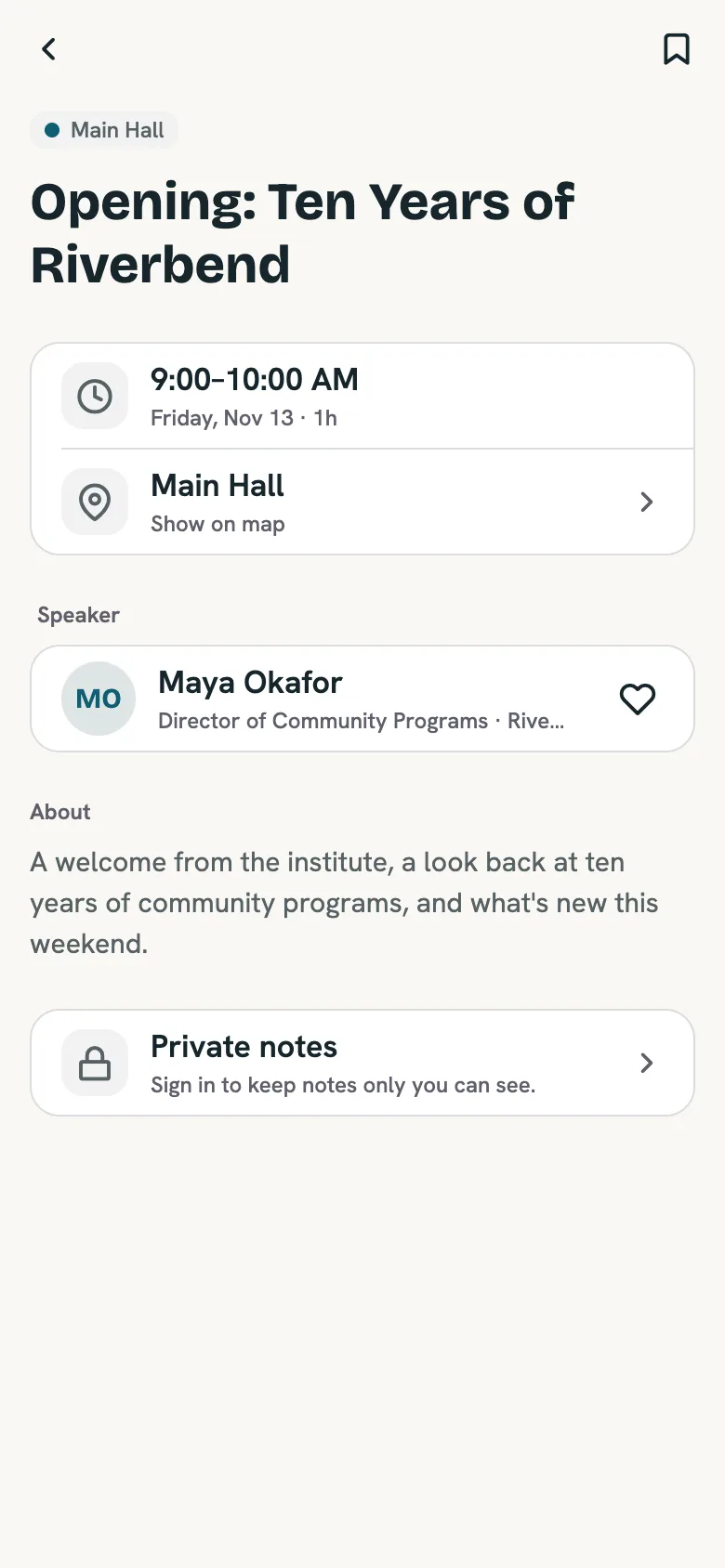
Know who's speaking.
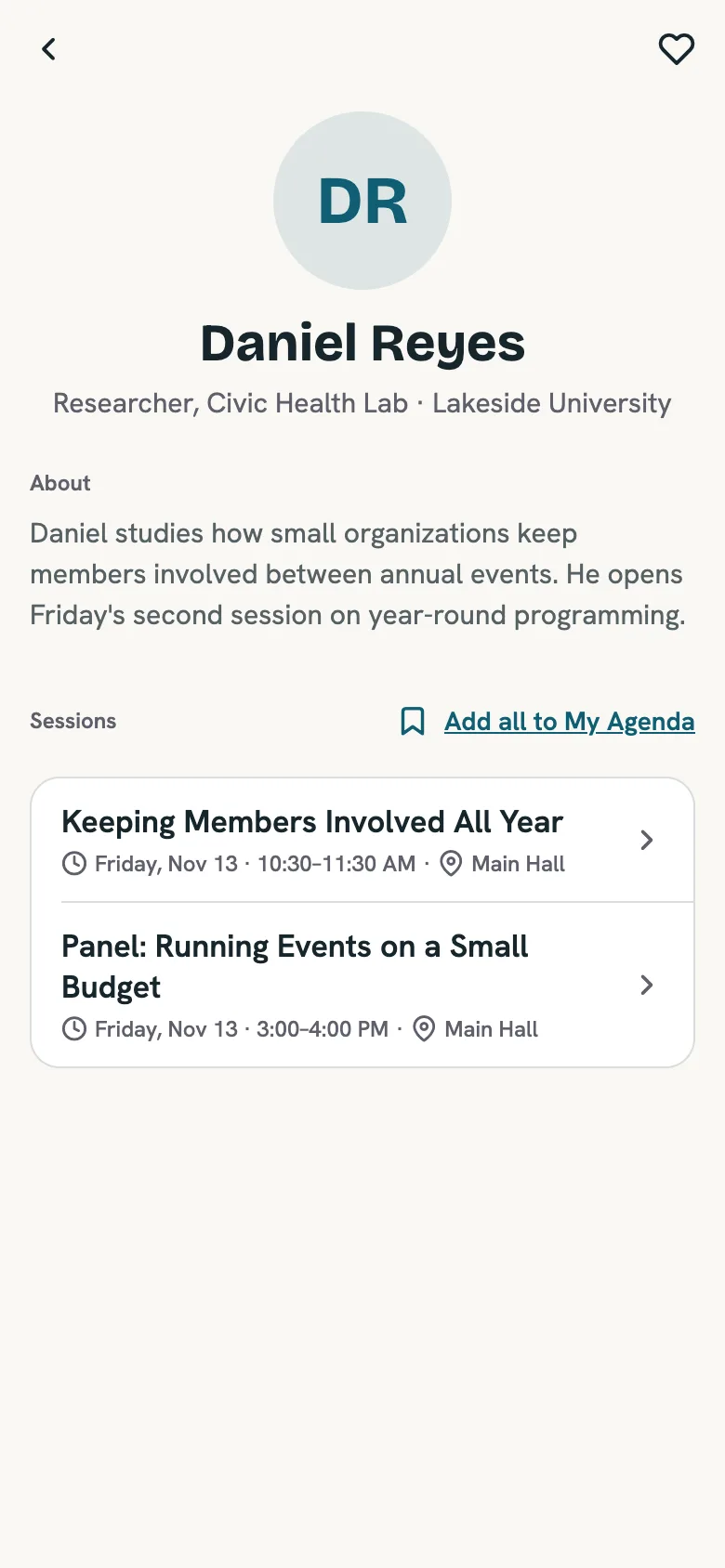
Every speaker gets a page with a bio and all of their sessions. Sponsors get their own pages too, grouped by tier.
Demo event. Content is made up. -
Find the room.
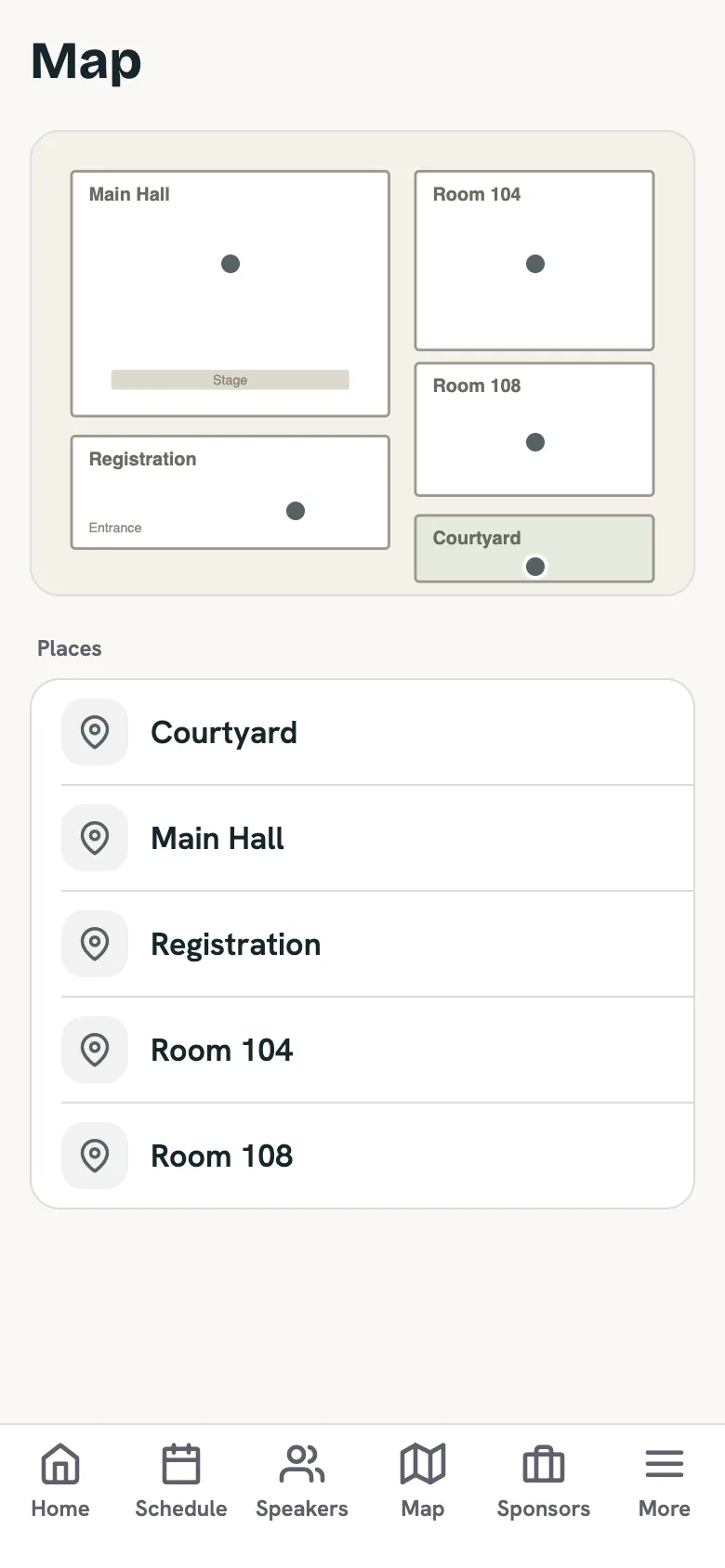
Your floor plan with every room pinned and named. Sessions link straight to their room, and you can add pages for parking, Wi-Fi and childcare.
Demo event. Content is made up. -
Hear it from you first.
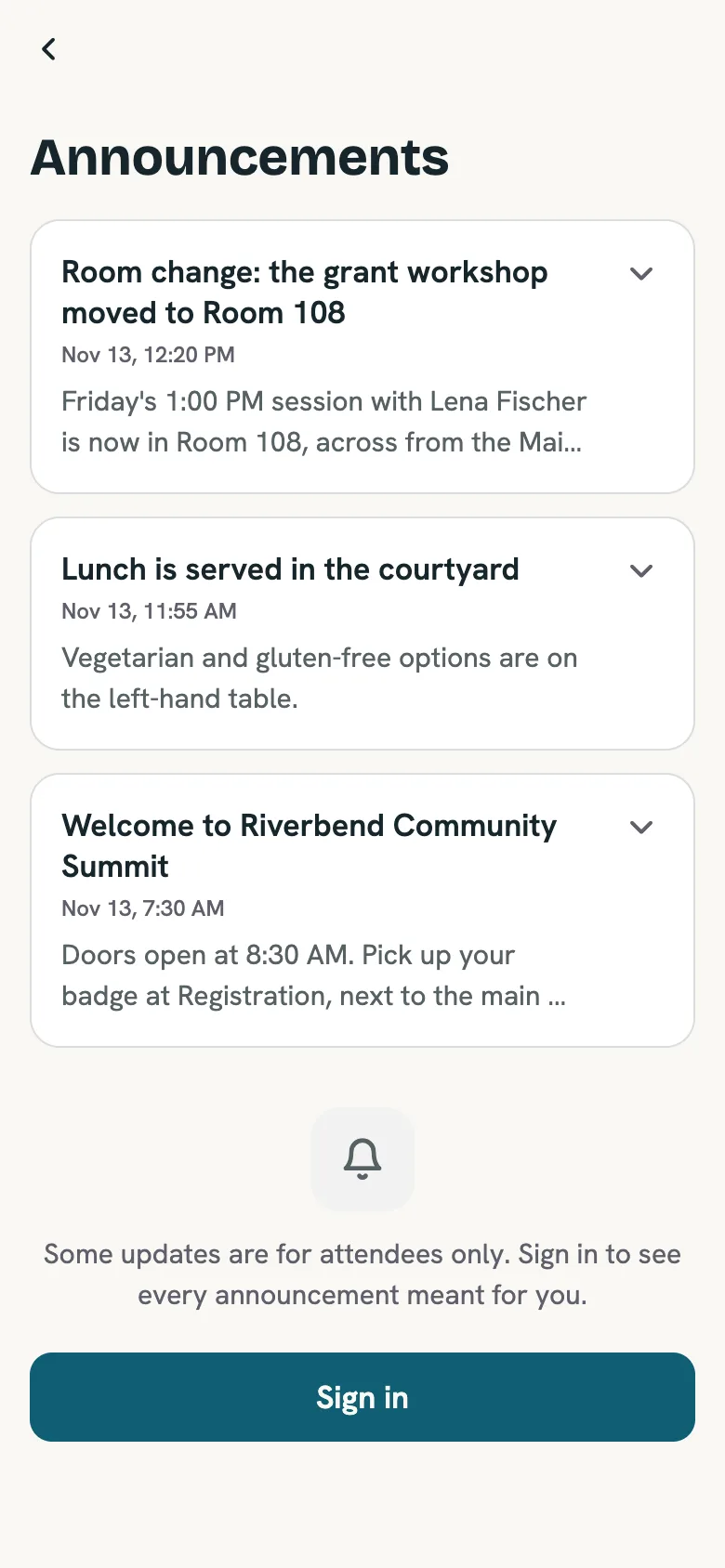
Announcements appear in the app and, for anyone who turned on notifications, on their lock screen. Send one the moment a room changes, or schedule it ahead.
Demo event. Content is made up. -
Take part.
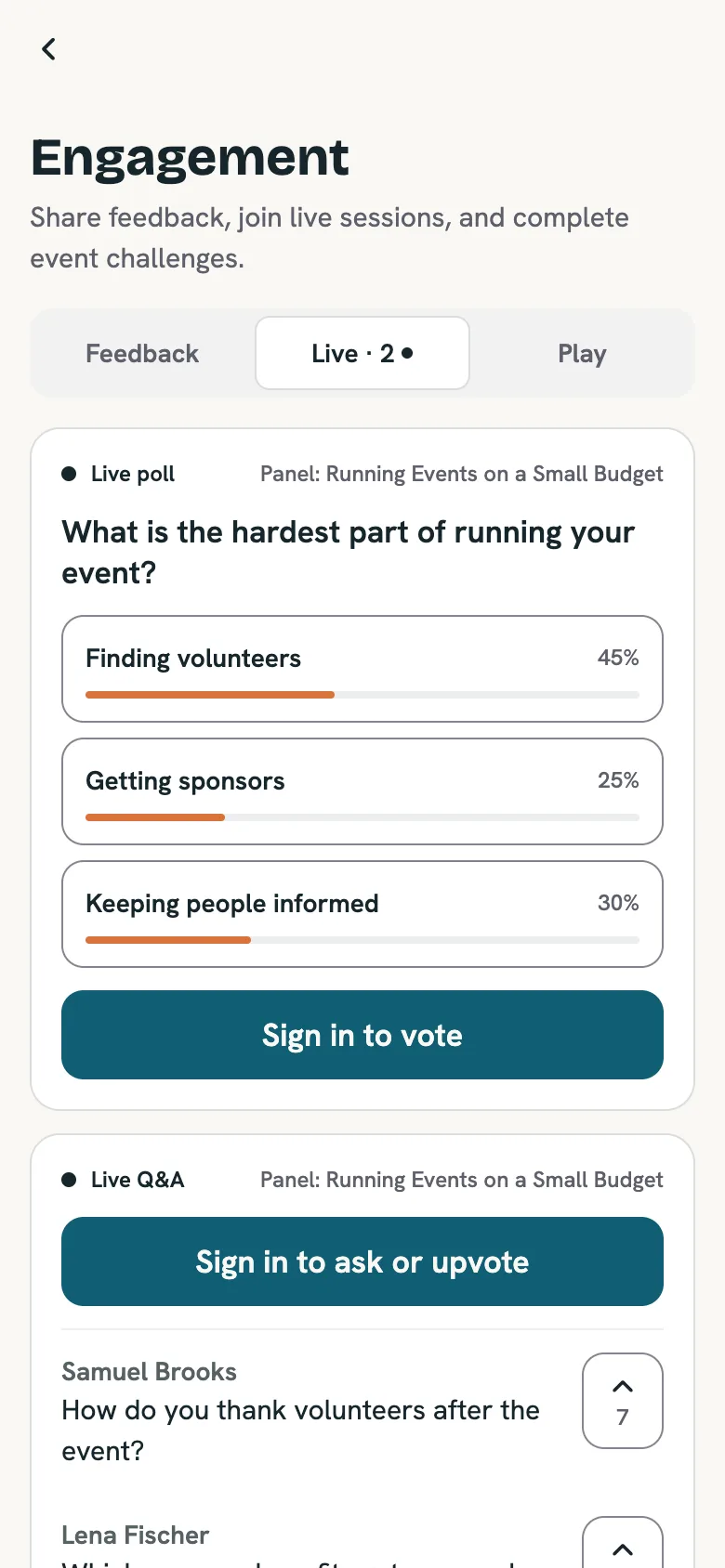
Live polls and Q&A during sessions, a short survey after, and trivia and challenges with a leaderboard.
Demo event. Content is made up.
Bad venue Wi-Fi? Anything an attendee has already opened stays readable offline.
Your team builds it. And changes it, even on the day.
Everything attendees see is edited in the Eventify console: the tabs along the bottom, what the home screen shows, every session, speaker and sponsor. No developer, and no app update.
What attendees see
- A countdown to the first session
- Up next, pulled from your schedule
- Shortcuts to announcements, polls and event information
What your team edits
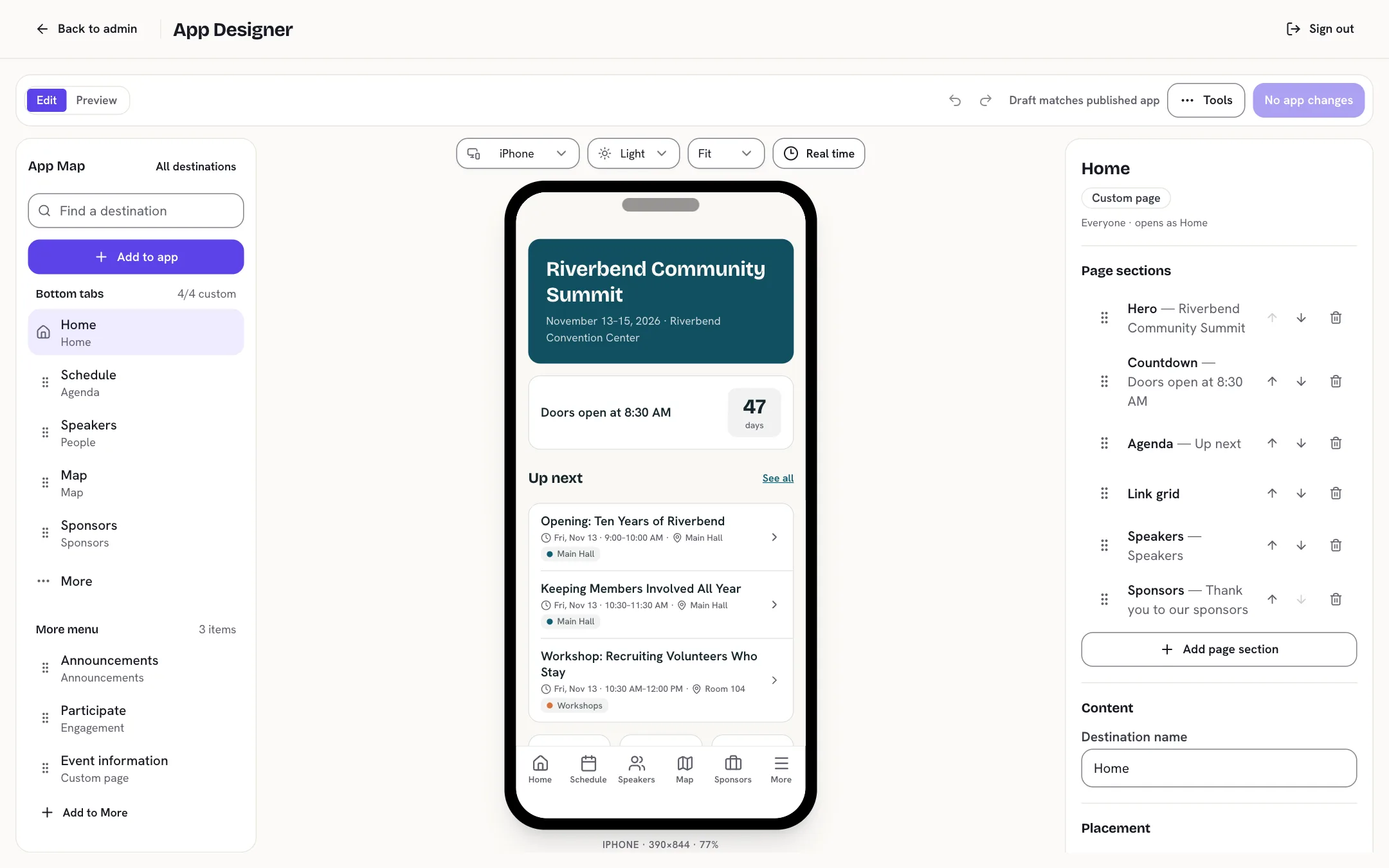
- Add, reorder or remove any section
- Choose the tabs and the More menu
- Preview it on a phone before anyone else sees it
-
Preview any moment.
Set the preview clock to Saturday at 9 a.m. and see the home screen exactly as attendees will.
-
See every change before it goes live.
Publishing shows you a list of what's about to change.
-
Undo in one step.
Every published version is kept, and you can bring any of them back.
-
Load it in bulk.
Import sessions and people from a spreadsheet. Give editors, moderators and announcement senders their own access.
Run the event from any browser
-
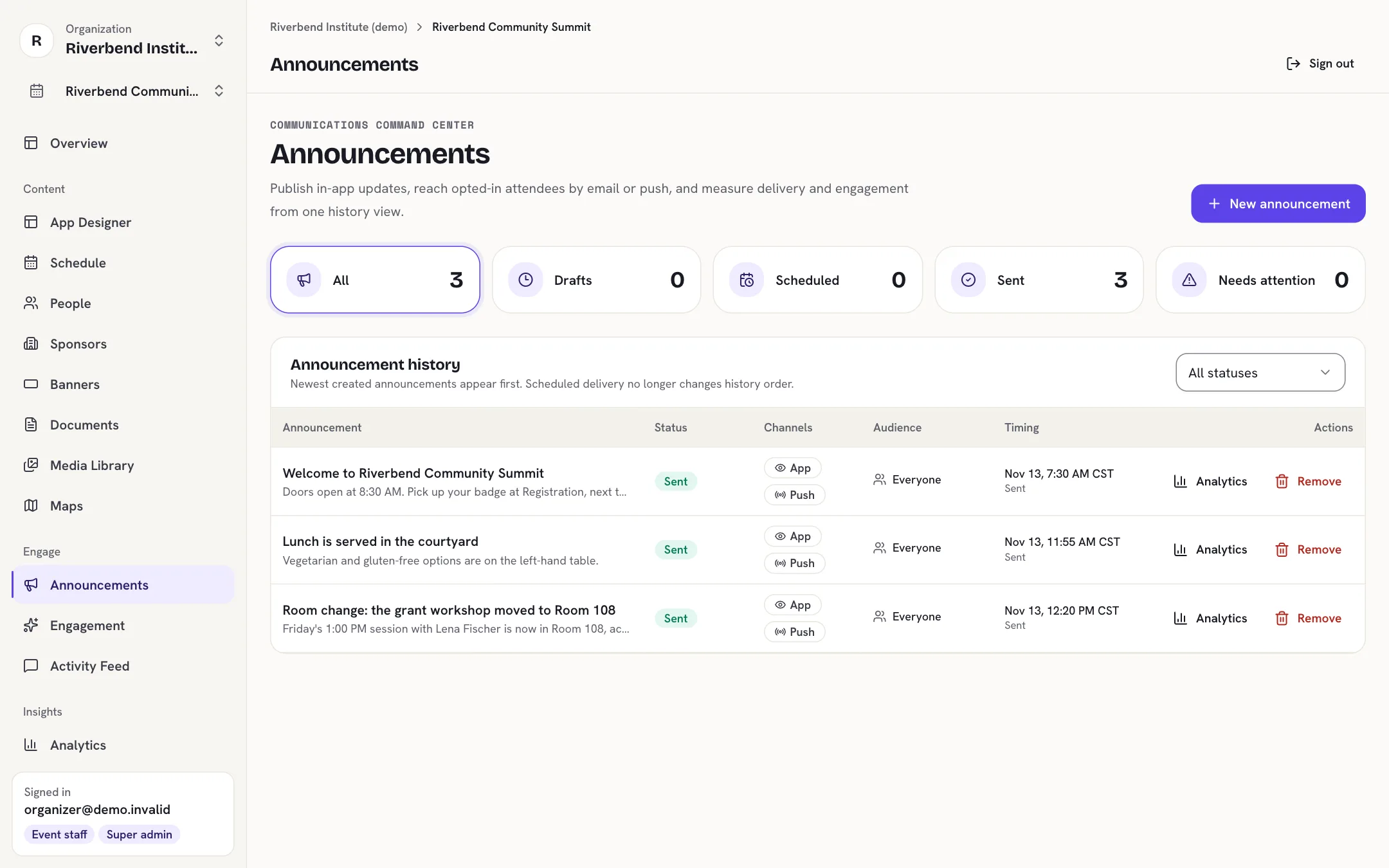
Room changed? Tell everyone.
Write an announcement, choose everyone or specific groups, and send it now or at a set time. Push notifications and email are optional for each message.
-
Open the poll when the speaker asks.
Polls, Q&A and trivia go live when you say so. Questions can wait for a moderator before they appear.
-
Keep the feed friendly.
Attendees can report posts, and moderators remove them without touching anything else.
See how it went
Session surveys and poll results are waiting in the console when the weekend ends. Sponsors get real numbers for their banners: views, taps and click rate.
Your name on the App Store, not ours
Your attendees download an app with your organization's name and icon. It is published from your own Apple and Google developer accounts, and you keep it for every event you run. Next year's program goes into the same app, so nobody downloads anything new.
No download? No problem.
Every event also gets its own web address that opens in any phone browser. Lock-screen notifications need the installed app.
Try everything, free for 30 days
-
Sign up in a minute.
Your name, your work email and your organization's name. We email you a code.
-
Explore a ready-made event.
Riverbend Community Summit comes with speakers, a schedule, sponsors, an event page and an app. Register yourself and see what attendees get.
-
Build your own.
Set up your event page, tickets, schedule and app. Invite your team.
-
Go live with us.
When you're ready for a real event, ask us to activate your organization. We'll set up your own app and live stream with you if you need them.
During the trial, emails go only to your team, up to 50 people can register, and paid tickets open once your organization is activated.
Questions organizers ask
Do attendees have to download an app?
No. Every event has a web address that works in any phone browser. The installed app adds lock-screen notifications and a home-screen icon.
Can we change things during the event?
Yes. Move a session, fix a room or add a page, then publish. Attendees get the change without updating the app.
What if the venue Wi-Fi is bad?
Anything an attendee has already opened stays readable offline. New announcements arrive when they're back online.
Do you handle registration or tickets?
Yes. Every event gets a page where people register, with free and paid tickets, discount codes, family pricing and questions you choose. Payments go straight to your organization's own Stripe account.
Can attendees message each other?
Not yet. They can post to the event feed, ask questions and vote in polls, but there are no private messages.
Does it support Arabic or other languages?
Not yet. The app is in English today.
Who owns the attendee data?
You do. You can export or delete a person's record on request.
What does it cost?
It depends on the size of your event and whether you want your own store app. Ask us and we'll give you a number.
Is there a free trial?
Yes. Sign up and you get 30 days with a sample event and room for three events of your own. Emails go only to your team during the trial, and paid tickets open when we activate your organization.
What happens when the trial ends?
Your work is kept. Your pages go offline until we activate your organization, and you can still sign in and keep working.